
Restaurant POS made simple
Manage tables, customer orders, QR self-ordering, kitchen activity, payments, products, and restaurant sales from one connected point of sale workspace.
Tables • QR Ordering • Digital Menu • Kitchen • Payments • Inventory
Manage restaurant orders
Connect front-of-house and kitchen activity
Take customer orders, assign them to tables, add relevant product options, and keep order information organized.
Connect restaurant orders with supported kitchen workflows so relevant teams can review and process order information.
Order • Prepare • Serve • Pay
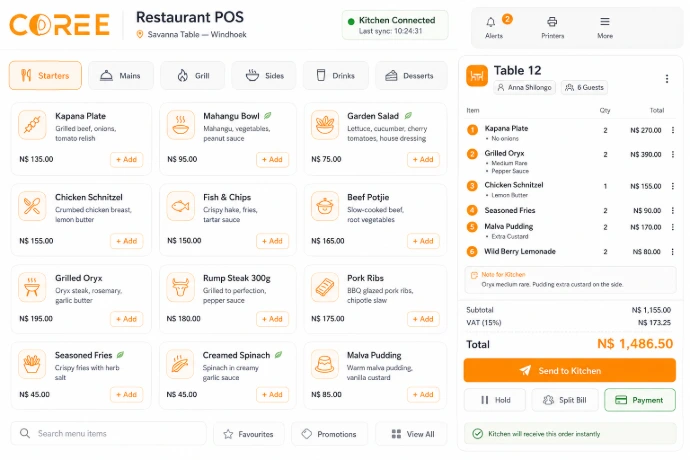
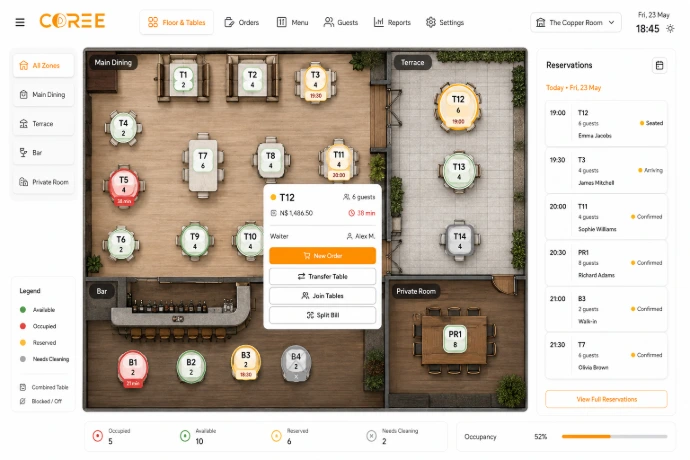
Table & floor management
Organize restaurant floors and tables visually, assign customer orders, and keep relevant table activity connected.
Manage available restaurant functions such as table transfers, bill splitting, product modifiers, and QR ordering according to your configured POS setup.
Let customers order from their table
Generate and print QR codes for your restaurant tables. Customers scan the code with their phone to access your digital menu and place their own order.
Customers can use available online payment options, while confirmed orders are connected with the restaurant and kitchen workflow.
Scan
The customer scans the QR code displayed at their restaurant table.
Order
Browse the digital menu, choose items, and place an order from the phone.
Pay
Complete payment using an available configured online payment method.
Kitchen
The confirmed order is connected directly with the kitchen workflow.
Print a QR code for each table
Generate printable QR codes and place them on individual restaurant tables. Customers simply scan the code using their phone camera to start ordering.
Table information keeps self-service orders connected with the appropriate restaurant table and order workflow.
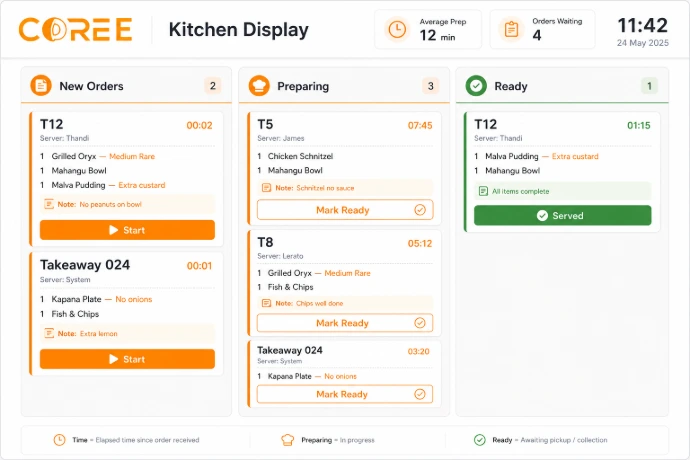
Orders go directly to the kitchen workflow
Orders entered by restaurant staff or submitted through supported QR self-ordering can be connected with your kitchen workflow.
Kitchen teams can review relevant items and update available preparation information as orders are processed.
A connected restaurant workflow
Keep customer orders connected from order entry through preparation, service, and payment.
Order
Orders can be entered by staff or submitted through QR self-ordering.
Prepare
Keep relevant order information connected with kitchen operations.
Serve
Review relevant order status as customer service progresses.
Complete
Complete payment and keep the transaction connected with sales records.
Restaurant POS features
Manage tables, QR ordering, customer orders, kitchen activity, payments, and restaurant sales from one connected workspace.
Table Management
Organize restaurant tables and connect them with customer orders.
QR Self-Ordering
Generate table QR codes so customers can access the menu and place orders from their phones.
Digital Menu
Present available menu items and product options through the self-ordering experience.
Kitchen Workflow
Keep relevant customer order information connected with kitchen activity.
Product Options
Configure relevant products, menu items, and available ordering options.
Payment Management
Use available payment methods according to your configured setup.
Support different food service operations
Configure Coree Restaurant POS around different customer service and food ordering environments.
Restaurants
Manage tables, customer orders, QR ordering, kitchen activity, service, and payments.
Cafés & Bars
Manage products, customer orders, payments, and relevant sales activity.
Quick Service
Organize counter and self-service orders with preparation and payment activity.
Flexible restaurant ordering
Give staff access to restaurant POS tools on compatible devices while customers can use supported QR self-ordering from their phones.
Available hardware, payment methods, online ordering, and device capabilities can depend on your configured environment and connected services.
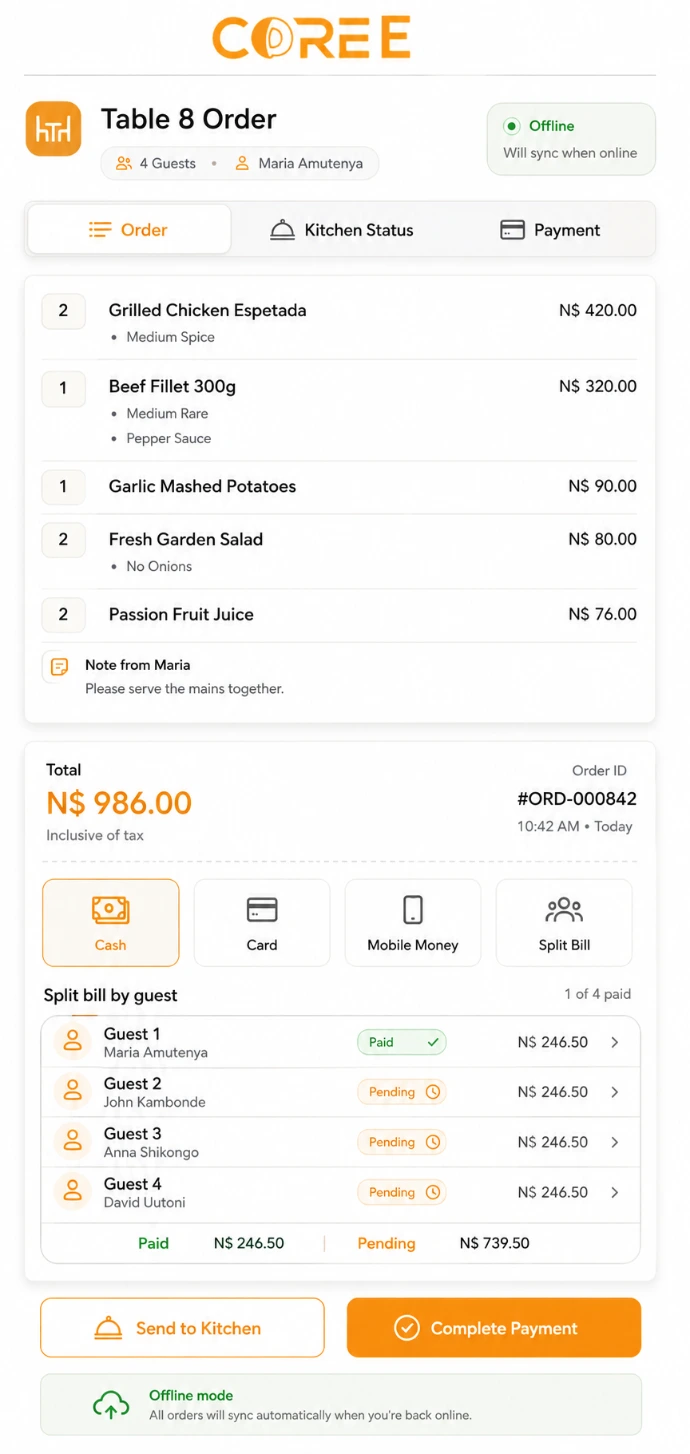
Keep restaurant operations connected
Bring customer orders, QR ordering, tables, kitchen activity, payments, and sales records into one system.
Flexible Ordering
Accept orders through staff-operated POS or supported QR self-ordering.
Order Visibility
Review relevant customer, table, kitchen, and order information.
Connected Operations
Connect restaurant sales with inventory and accounting information.
Connected with your COREE ecosystem
Keep restaurant operations connected with point of sale, inventory, accounting, and customer information.
Restaurant — Tables & kitchen
 Point of Sale — Customer orders
 Inventory — Stock management
 Accounting — Financial records
"COREE Restaurant POS gives our team one connected place to manage tables, staff orders, customer self-ordering, kitchen activity, payments, and restaurant sales."
— COREE Business Customer
Ready to simplify your restaurant operations?
Start using Coree POS Restaurant today or book a personalised demonstration with our team.
No credit card required • Instant access