Documents made simple
Store, organize, manage and share business documents from one connected workspace built around your everyday business processes.
Documents • Workspaces • Requests • Sharing • Access • Business Records
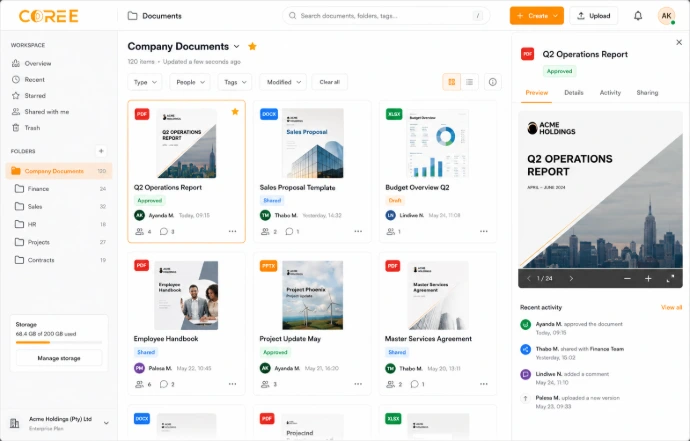
Keep business documents organized
Find the information your team needs
Organize files using workspaces, folders, tags, ownership and other document management tools.
Keep important business files together instead of spreading them across unrelated locations.
Upload • Organize • Process • Access
Connect documents with business workflows
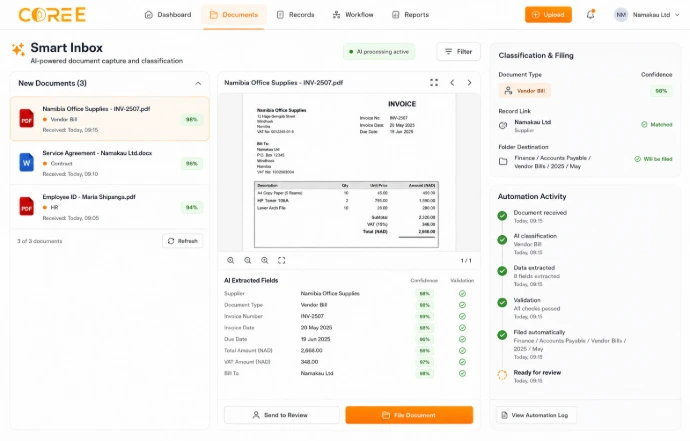
Assign document responsibilities, request files, schedule activities and keep documents connected with relevant business processes.
Use available document actions to support activities such as approvals, signatures, accounting records and follow-up tasks.
Requests — Request relevant documents and keep received files organized.
Responsibilities — Keep ownership and document-related activities clear.
Actions — Connect documents with supported business processes.
Access — Make relevant documents available according to configured permissions.
A simple document workflow
Keep business documents organized throughout their everyday lifecycle.
Upload
Add business files and supporting documents to your workspace.
Organize
Use workspaces, folders, tags and ownership to structure your files.
Process
Connect documents with relevant activities and business processes.
Access
Keep relevant documents available to authorized team members.
Document management features
Organize, request, manage and share business documents from one connected workspace.
Document Workspaces
Organize files around departments, customers, projects or business processes.
Document Requests
Request relevant files and keep received documents connected with your workspace.
Access Management
Manage document access according to available workspace and user permissions.
Document Actions
Connect relevant documents with activities and supported business workflows.
Folders & Tags
Structure business documents using available folders, tags and organization tools.
Document Ownership
Keep relevant responsibilities associated with documents and business activities.
File Sharing
Share relevant documents using the access and sharing options available to your team.
Business Records
Keep supporting documents connected with relevant everyday business processes.
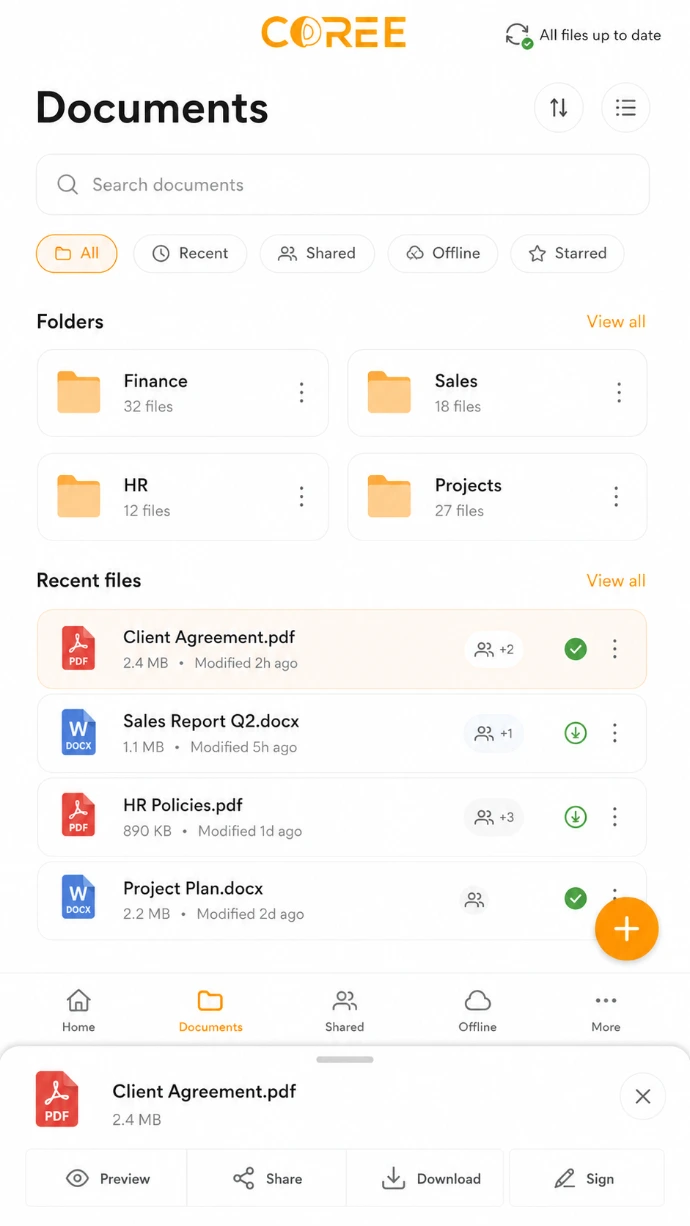
Access documents from compatible devices
Review and work with relevant business documents from compatible devices where supported by your Coree configuration.
Manage documents across your business
Keep important files connected with the teams and business activities that use them.
Customer Documents
Organize customer-related documents and supporting business information.
Finance Documents
Keep invoices, bills, receipts and supporting financial files organized.
Project Documents
Keep project files and related information available to relevant team members.
Agreements & Contracts
Organize relevant agreements, contracts and supporting business documents.
Operational Documents
Keep supporting files connected with everyday operational activities.
Internal Documents
Organize relevant internal files around departments, teams and business processes.
Keep business information connected
Give your team a structured place for documents and the information that supports everyday work.
Centralized Documents
Keep relevant business files together in one organized workspace.
Clear Organization
Structure files around departments, projects, customers and processes.
Connected Workflows
Keep documents connected with relevant activities across your business.
Connected with your COREE ecosystem
Keep documents connected with signatures, accounting, projects and other business processes.
Documents — File Management
 Sign — Document Signatures
 Accounting — Financial Documents
 Project — Project Files
"COREE Documents gives our team one organized place to manage business files and keep important documents connected with our everyday work."
— COREE Business Customer
Ready to organize your business documents?
Start using Coree Documents today or book a personalised demonstration with our team.
No credit card required • Instant access