
Invoicing made simple
Create, send and manage customer invoices while keeping customers, products, services, payments and accounting records connected.
Invoices • Customers • Payments • Due Dates • Follow-Ups • Accounting
Create professional invoices
Simple and connected billing
Create customer invoices using your products, services, customer information, pricing and applicable payment terms.
Keep invoices connected with customer and accounting records throughout the billing process.
Create • Send • Track • Record
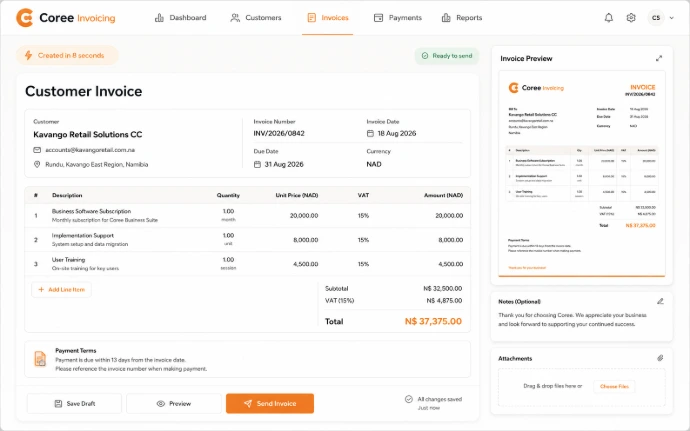
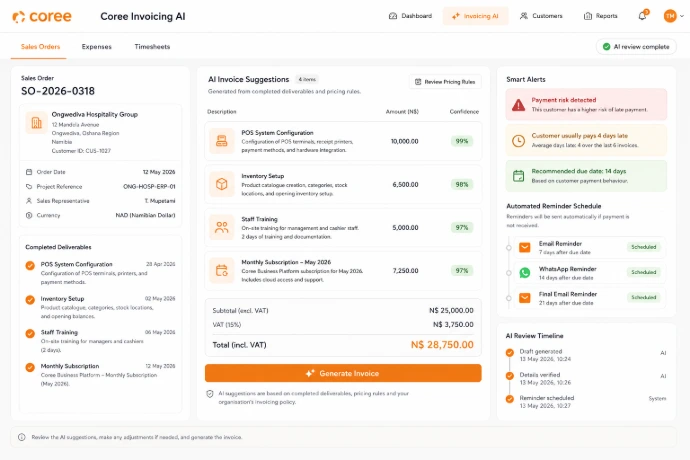
Keep invoicing connected
Create invoices from relevant business records and keep billing information connected with customer activity.
Manage invoice status, payment information, due dates, follow-ups and accounting records from a connected billing workflow.
Customers — Keep invoice information connected with customer records.
Sales — Create relevant billing records from customer sales activity.
Payments — Record and review payment information against customer invoices.
Accounting — Keep customer billing connected with financial records.
A simple invoicing workflow
Manage customer billing from invoice preparation through payment recording.
Create
Prepare an invoice using customer, product, service and pricing information.
Send
Deliver invoices to customers using the communication options available.
Track
Review invoice status, due dates, outstanding balances and payment activity.
Record
Record relevant payments and keep invoice information connected with accounting.
Invoicing features
Manage customer invoices, payment terms, due dates, follow-ups and billing records from one connected workspace.
Invoice Creation
Create customer invoices using relevant customer and business information.
Products & Services
Add relevant products, services, quantities and pricing to customer invoices.
Payment Terms
Define relevant payment terms and due dates for customer invoices.
Payment Tracking
Review invoice balances, payment status and outstanding amounts.
Due Dates
Keep invoice due dates and relevant payment information organized.
Customer Follow-Ups
Use available follow-up tools for invoices requiring customer attention.
Customer Records
Keep invoice and billing information connected with relevant customer records.
Accounting Connection
Keep customer invoices and payment information connected with accounting.
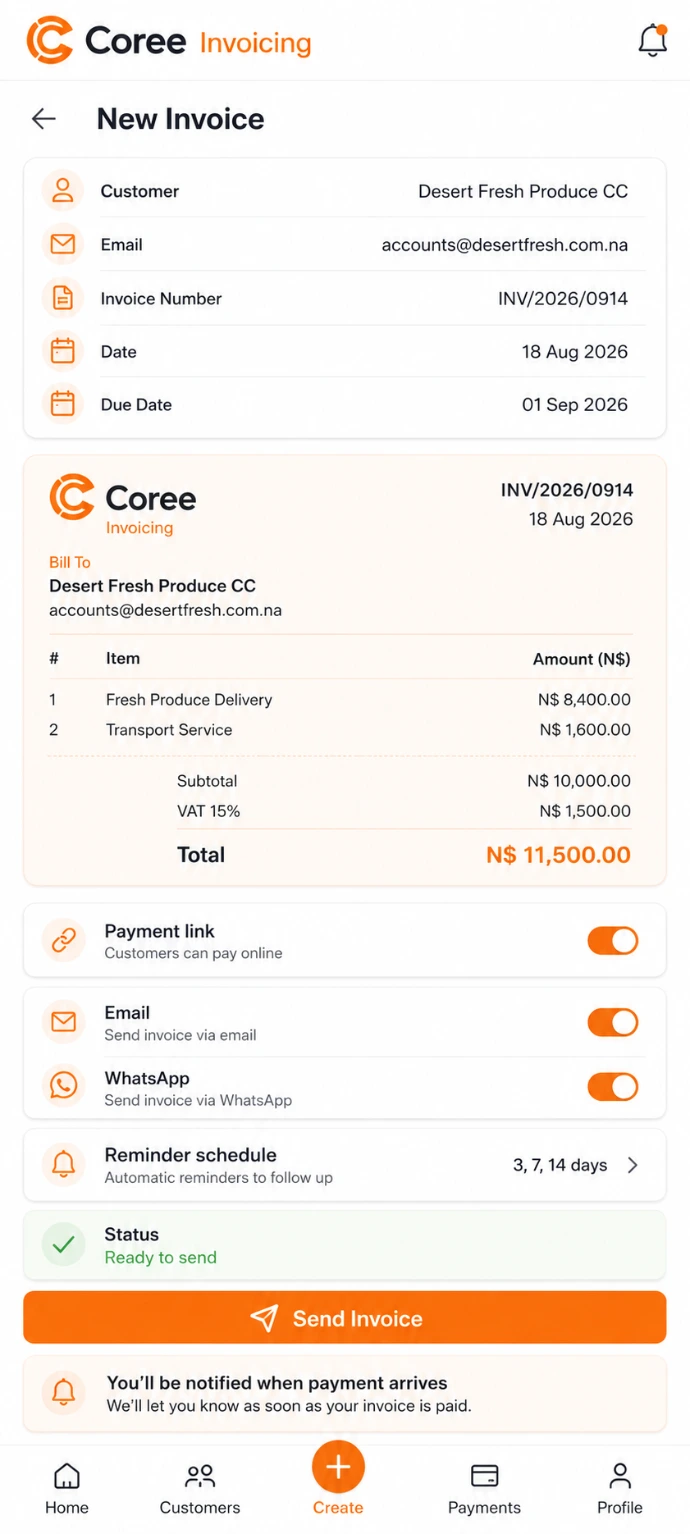
Manage invoices from compatible devices
Create, review and manage relevant customer invoices from compatible devices where supported by your Coree configuration.
Invoice different types of business activity
Keep billing connected with the products, services and customer activity your business manages.
Product Sales
Create invoices for products sold to your customers.
Service Billing
Invoice customers for relevant services and professional work.
Customer Orders
Keep relevant customer billing connected with sales activity.
Customer Billing
Keep invoices, due dates and payment information connected with customers.
Payment Follow-Up
Review outstanding invoices and use available follow-up tools where appropriate.
Business Billing
Keep customer billing connected with relevant business and accounting records.
Keep customer billing organized
Connect invoice information with customers, payments and accounting records across your business.
Organized Billing
Keep customer invoices and billing information together in one workspace.
Invoice Visibility
Review relevant invoice status, due dates and outstanding balances.
Connected Accounting
Keep invoicing connected with customer and accounting activity.
Connected with your COREE ecosystem
Keep invoicing connected with customers, sales, accounting and other business processes.
Invoicing — Customer Billing
 Sales — Customer Orders
Accounting — Financial Records
Sales — Customer Orders
Accounting — Financial Records
 CRM — Customer Relationships
"COREE Invoicing gives our team one connected place to manage customer invoices, payment information and billing records."
— COREE Business Customer
Ready to simplify your invoicing?
Start using Coree Invoicing today or book a personalised demonstration with our team.
No credit card required • Instant access